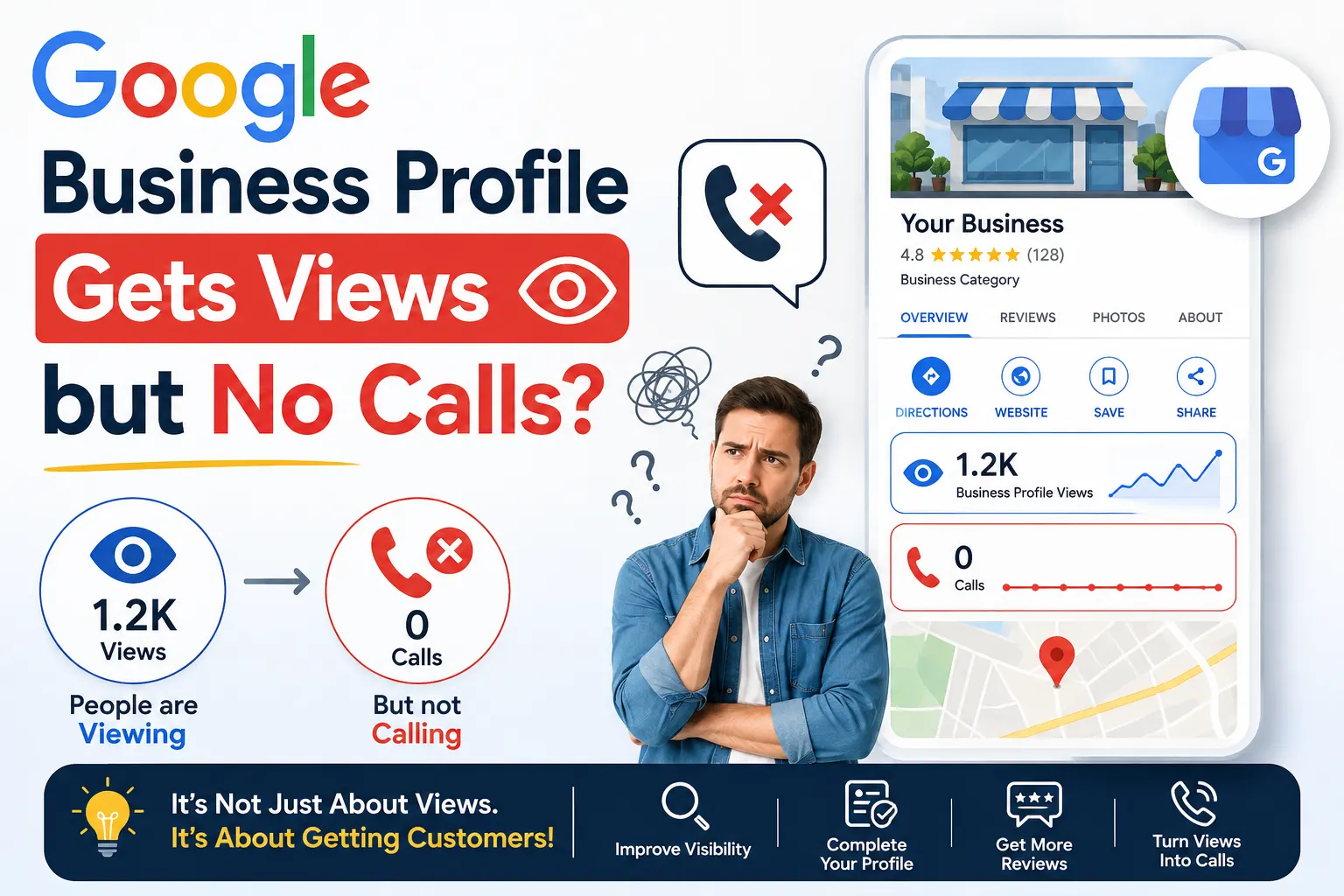
Your Google Business Profile shows hundreds of views every month, yet your phone stays silent. This gap between visibility and inquiries frustrates business owners who invest time in Local SEO but see no return in actual calls or walk-ins. Views prove that customers find your profile. The absence of calls proves that something inside your profile stops them from taking the next step.
This article breaks down the 12 most common reasons behind this problem and gives you practical fixes for each one.
Why Views Don’t Always Convert into Calls
Google measures a “view” the moment someone sees your profile on Search or Maps. That action requires almost no effort from the customer. A call, however, demands trust, clarity, and confidence in your business. When views stay high but calls stay low, your profile succeeds at appearing but fails at persuading.
12 Reasons Your Google Business Profile Doesn’t Generate Calls
1. Incomplete or Outdated Business Information
Customers avoid calling a business when they cannot confirm basic details. Missing hours, an outdated address, or an unclear category creates doubt.
Fix: Update your business hours, address, phone number, and category regularly. Verify this information every month, especially after holidays or location changes.
2. Poor Quality or Missing Photos
A profile with blurry, outdated, or stock-like images fails to build trust. Customers judge professionalism visually before they judge it through service.
Fix: Upload high-resolution photos of your storefront, team, products, and completed work. Add new photos every few weeks to signal an active, credible business.
3. No Clear Call-to-Action
Many profiles list information without guiding the customer toward the next step. Visitors see the profile but don’t know whether to call, message, or visit.
Fix: Use the “Call Now” and “Message” buttons actively. Mention your phone number in the business description and posts to reinforce the calling action.
4. Weak or Missing Reviews
Customers scan reviews before deciding to call. A low review count, or reviews without responses, signals inactivity or poor service.
Fix: Request reviews from satisfied customers consistently. Reply to every review, positive or negative, to show active management.
5. Slow or No Response to Messages and Q&A
If potential customers message your profile or ask questions and receive no reply, they move to a competitor instead of calling.
Fix: Enable messaging and respond within a few hours. Answer the Q&A section proactively with common customer questions.
6. Incorrect Business Category
Choosing a broad or incorrect category prevents your profile from appearing in relevant, high-intent searches, even if it still generates general views.
Fix: Select the most specific primary category available and add relevant secondary categories that match your actual services.
7. Missing Service or Product Details
A profile without a clear list of services confuses customers about whether you offer what they need, leading them to hesitate before calling.
Fix: Add detailed service and product listings with descriptions, and update them whenever your offerings change.
8. No Local Keywords in Description or Posts
Views can come from broad searches, but calls typically come from specific, local intent searches. Without local keywords, your profile fails to match those high-intent queries.
Fix: Include your city, locality, and service keywords naturally in your business description and Google Posts.
9. Inconsistent NAP (Name, Address, Phone) Across the Web
When your business details differ across directories, websites, and your Google profile, Google and customers both lose confidence in your legitimacy.
Fix: Audit your listings on directories like JustDial, Sulekha, and Facebook. Keep your Name, Address, and Phone number identical everywhere.
10. Low Engagement Through Google Posts
An inactive profile with no recent posts appears dormant. Customers assume the business may be closed or unresponsive.
Fix: Publish Google Posts weekly, covering offers, updates, or new services, to show ongoing business activity.
11. Website Link Leads to a Poor Experience
Even after finding your profile promising, customers who click through to a slow, outdated, or confusing website often abandon the idea of calling altogether.
Fix: Ensure your linked website loads quickly, displays correctly on mobile, and shows your phone number prominently.
12. Wrong Service Area or Location Targeting
If your service area setting doesn’t match where your actual customers search from, your profile shows to the wrong audience, generating views without real intent to call.
Fix: Set your service area accurately, and if you operate from a physical location, confirm your pin placement on the map is precise.
| Serial No | Common Issue | Recommended Fix |
|---|---|---|
| 1 | Incomplete or outdated information | Update business hours, address, phone number, and other profile details regularly. |
| 2 | Poor-quality photos | Upload clear, high-resolution, recent photos that showcase your business, products, services, and location. |
| 3 | No clear call-to-action | Keep your phone number visible and make it easy for customers to use the Call option. |
| 4 | Weak or missing reviews | Encourage genuine customers to leave reviews and respond professionally to every review. |
| 5 | Slow response to messages and Q&A | Respond to customer questions and messages promptly and keep the Q&A section updated. |
| 6 | Incorrect business category | Select the most specific and accurate primary category and add relevant secondary categories where appropriate. |
| 7 | Missing service details | Add your important services with clear descriptions so potential customers understand what you offer. |
| 8 | Weak local relevance | Use location and service information naturally across your profile, website, and other relevant online properties. |
| 9 | Inconsistent NAP across the web | Keep your Name, Address, and Phone number (NAP) consistent across directories and other business listings. |
| 10 | Low engagement through posts | Publish useful and relevant Google Business Profile posts regularly to keep customers informed about your services and offers. |
| 11 | Poor website experience | Improve website speed, mobile usability, navigation, contact options, and landing-page experience. |
| 12 | Incorrect service-area targeting | Set accurate service areas and ensure your location information reflects where your business actually serves customers. |
Frequently Asked Questions
Why does my Google Business Profile get views but no calls?
Views only measure visibility, while calls require trust and clarity. Incomplete information, poor photos, weak reviews, or an unclear call-to-action often stop interested viewers from taking the next step and calling your business.
How long does it take to see more calls after optimizing my profile?
Most businesses notice measurable improvement in calls and inquiries within four to eight weeks of consistent optimization, depending on competition and how actively the profile is updated.
Do Google reviews really affect whether customers call?
Yes, reviews strongly influence calling decisions. Customers rely on ratings and comments from others to judge trustworthiness before contacting a business, especially when comparing similar options nearby.
Does posting regularly on Google Business Profile increase calls?
Regular posts signal that a business is active and currently operating, which builds confidence. Businesses that post updates, offers, or news generally see more engagement and inquiries than inactive profiles.
Can a bad website reduce calls even if the Google profile looks good?
Yes, a slow or confusing website can undo the trust built by a strong Google Business Profile. Many customers verify a business online before calling, and a poor website experience often causes them to abandon that call.