Is your website attracting visitors but failing to turn them into paying clients? You are not alone. Many businesses invest heavily in attractive designs only to watch potential leads slip away because of confusing navigation, slow pages, or weak calls to action. Every day your website underperforms, you could be losing customers and revenue without even realizing it.
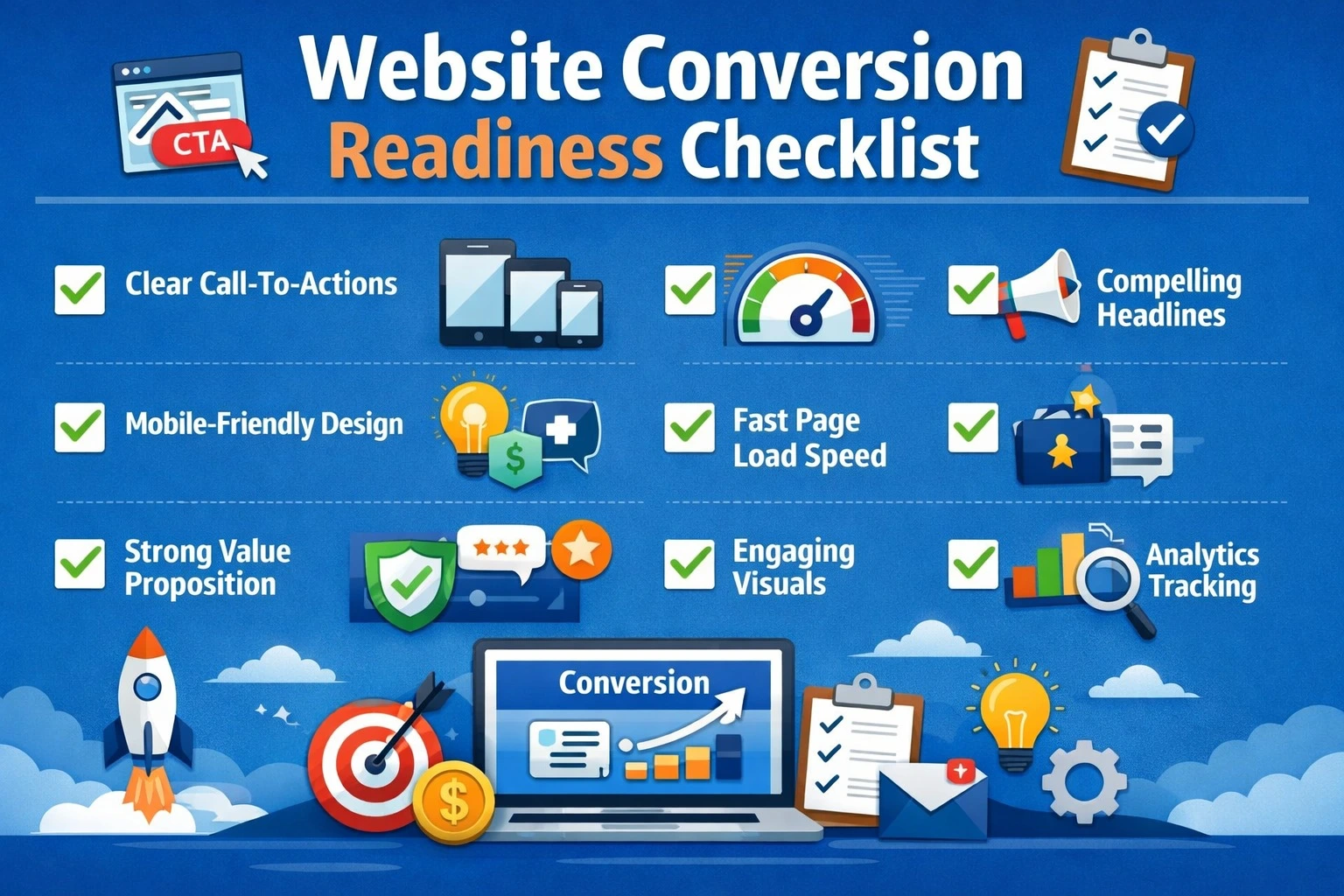
This blog will guide you through a ten-step website conversion readiness checklist. You will learn how to fix the critical elements that stop visitors from converting and transform your website into a powerful lead-generating machine.
1. Clear Value Proposition Above the Fold
Visitors should instantly understand what your business offers and how it benefits them. Place your core message prominently in the hero section. Include concise headlines and a strong call-to-action (CTA). Avoid clutter or excessive content that distracts visitors from taking the next step. Example: “We help small businesses grow with SEO-friendly websites. Get a free consultation today.”
2. Optimized Website Speed
Website performance directly affects user behavior and conversions. Slow-loading pages frustrate visitors, leading them to leave before engaging. Use tools like Google PageSpeed Insights or GTmetrix to monitor load times and optimize images, scripts, and caching. Aim for under 3 seconds for homepage load speed.
| Page Element | Recommended Optimization |
| Images | Compress without losing quality (WebP format) |
| Scripts | Minify CSS/JS, remove unnecessary plugins |
| Server | Use reliable hosting, CDN if global audience |
| Cache | Enable browser caching for repeat visitors |
3. Mobile-Friendly Design
With over 60% of users accessing websites via mobile devices, your website must be fully responsive. Check navigation, buttons, and forms for ease of use on small screens. A mobile-friendly site ensures visitors stay longer, reducing bounce rates and increasing conversion chances. Elements such as navigation menus, buttons, forms, and images must be optimized for smaller screens. Buttons should be easy to tap, forms should be simple to fill out, and important content should be clearly visible without excessive scrolling or zooming. A mobile-friendly website not only keeps visitors engaged for longer but also reduces bounce rates, builds trust, and significantly improves the chances of turning visitors into paying clients.
4. Intuitive Navigation and User Flow
Visitors should be able to achieve their goals, whether it is contacting your team, requesting a consultation, or completing a purchase, with as few steps as possible. Menus should be organized logically, grouping similar services together so that users can easily find what they are looking for. Calls to action must be prominently displayed at strategic points throughout the user journey to guide visitors naturally toward conversion. Regularly testing user paths and analyzing behavior can help identify any friction points or obstacles that may prevent visitors from taking the desired actions. By optimizing navigation and streamlining the user flow, you create a smoother experience that encourages engagement and increases the likelihood of conversions.
5. Strong Calls-to-Action (CTA)
Calls to action play a crucial role in guiding visitors toward taking meaningful steps on your website. Each CTA should be clear, compelling, and easy to spot, encouraging users to engage immediately.
Use action-oriented language that communicates value and urgency, such as “Get a Free Website Audit,” “Book Your Consultation,” or “Start Your Project Today.” To maximize effectiveness, test different placements, colors, and wording to determine which combinations drive the highest engagement and click-through rates. Well-designed CTAs not only capture attention but also turn casual visitors into qualified leads.
6. Trust Signals and Social Proof
Building trust is essential for converting visitors into clients. Displaying social proof such as client testimonials, case studies, industry certifications, awards, and recognizable logos of companies you have served reinforces credibility and reliability. Placing these elements near calls to action increases confidence and reassures potential clients that they are making the right choice. High-quality trust signals demonstrate your expertise and track record, helping to reduce hesitation and accelerate the decision-making process.
7. Conversion-Oriented Forms
Forms are a critical element for capturing leads and turning website visitors into clients. They should be simple, intuitive, and focused on collecting only the most essential information, such as name, email, and specific service interest. Lengthy or complicated forms can frustrate users and lead to abandoned submissions. Adding features like inline validation, progress indicators, and clear privacy assurances helps reduce friction and builds trust. Strategically placing forms on high-traffic pages and pairing them with compelling calls to action increases the likelihood of completion, ensuring that your website effectively converts visitors into actionable leads.
8. Engaging and Relevant Content
Content plays a pivotal role in guiding visitors through your website and encouraging them to take action. It should be engaging, informative, and directly aligned with your audience’s needs and pain points. Every paragraph, heading, and callout should communicate clear value, highlighting how your products or services solve specific problems. Use concise language, active voice, and structured formatting to make information easy to read and digest. Incorporating visuals such as images, infographics, or short videos can enhance understanding and retention, keeping visitors engaged longer. Well-crafted content not only builds trust and authority but also creates a seamless path toward conversion.
9. Analytics and Tracking
Measuring how visitors interact with your website is essential for optimizing conversions. Implement analytics tools such as Google Analytics, Hotjar, or similar platforms to track key metrics including page visits, click patterns, form submissions, and bounce rates. Understanding visitor behavior allows you to identify which pages are performing well and which areas create friction or drop-offs. Regular monitoring and analysis enable data-driven decisions, helping you refine your website structure, content, and calls to action. By leveraging analytics effectively, you can continuously improve the user experience and maximize the chances of turning visitors into paying clients.
10. Continuous Testing and Optimization
Website conversion readiness is not a one-time effort; it requires continuous testing and optimization to maintain and improve results. Regularly perform A/B testing on headlines, calls to action, page layouts, and design elements to determine which variations drive the highest engagement and conversions. Monitor user behavior through analytics to identify bottlenecks or areas where visitors drop off, and implement improvements based on data insights. Continuously refining your website ensures that it remains aligned with user expectations, adapts to changing trends, and consistently maximizes its potential to convert visitors into paying clients.
Case Study: How a Service Business Increased Website Leads
Industry: IT Services
Challenge: The business was attracting a steady number of visitors but was not generating inquiries. High bounce rates and unclear navigation were preventing visitors from taking meaningful action.
Solution: A comprehensive website conversion audit was conducted, and the following improvements were implemented:
- Streamlined navigation and logically grouped services
- Added strong, visible calls to action on every page
- Optimized forms to reduce friction and encourage submissions
- Incorporated client testimonials, trust badges, and social proof
- Improved page load speed and mobile responsiveness
Results:
Within six weeks of implementing these changes:
- Lead submissions increased by 60%
- Average session duration increased by 35%
- Bounce rate decreased by 25%
- The website became a key lead-generation tool for the business
Key Takeaway: Small, targeted improvements focused on user experience, trust signals, and actionable calls to action can significantly enhance a website’s ability to convert visitors into paying clients.
FAQ
Q1: How do I know if my website is ready to convert visitors?
A1: Check if your website has a clear value proposition, fast loading speed, mobile responsiveness, visible CTAs, trust signals, and easy navigation. Analytics data can confirm if visitors are converting.
Q2: How long does it take to optimize a website for conversions?
A2: Minor adjustments, like optimizing CTAs or forms, can take a few days. Complete conversion optimization including design, UX, and content may take 4–8 weeks.
Q3: What is the most critical factor for website conversions?
A3: A clear value proposition combined with actionable CTAs consistently performs best. Trust signals and fast-loading pages further enhance conversions.
Q4: Can a website redesign improve conversion rates?
A4: Yes, a redesign focusing on UX, mobile responsiveness, speed, and clear CTAs can significantly increase leads and sales.
Q5: How often should I test and optimize my website for conversions?
A5: Conversion optimization should be an ongoing process. Regularly monitor analytics, run A/B tests on headlines, CTAs, and forms, and refine the user experience based on data. Continuous optimization ensures your website adapts to user behavior and consistently drives results.
Q6: Do mobile users convert differently than desktop users?
A6: Yes, mobile users often have less patience and interact differently with your site. Mobile-friendly design, easy-to-tap buttons, simplified forms, and fast-loading pages are crucial for converting mobile visitors effectively.
Q7: Can a small website redesign significantly improve conversions?
A7: Absolutely. Even minor changes focused on user experience, trust signals, and clear calls to action can dramatically increase lead generation and improve overall conversion rates.
Q8: How do I measure if my website changes are increasing conversions?
A8: Use analytics tools to track metrics such as form submissions, clicks on CTAs, session duration, bounce rate, and overall lead generation. Comparing these metrics before and after optimization provides clear insights into effectiveness.
Final Thought
A website that attracts visitors but fails to convert them is a missed opportunity and a source of hidden revenue loss. Ensuring conversion readiness is not just about design or aesthetics; it is about creating a seamless, trust-building experience that guides visitors toward action. By following this ten-step checklist, optimizing key elements, and continuously testing your website, you can turn casual visitors into paying clients. Small improvements in navigation, calls to action, forms, and content can lead to significant increases in leads and revenue.
Investing time and resources into conversion-focused strategies ensures that your website becomes a powerful business tool rather than just an online brochure. Start implementing these steps today to maximize the potential of every visitor and achieve measurable business growth. For businesses seeking expert guidance, companies such as Pointer Soft Technologies help implement conversion-focused strategies through practical website design, development, and digital marketing solutions. With hands-on experience across different industries, the focus remains on improving user experience, increasing engagement, and ensuring websites perform effectively as lead-generation tools. Working with experienced teams can help businesses move beyond visual appeal and build websites that support real business growth.